Tech & Gadgets · August 10, 2026
Affordable Productivity Gadgets for a Cleaner, Calmer Minimalist Workspace
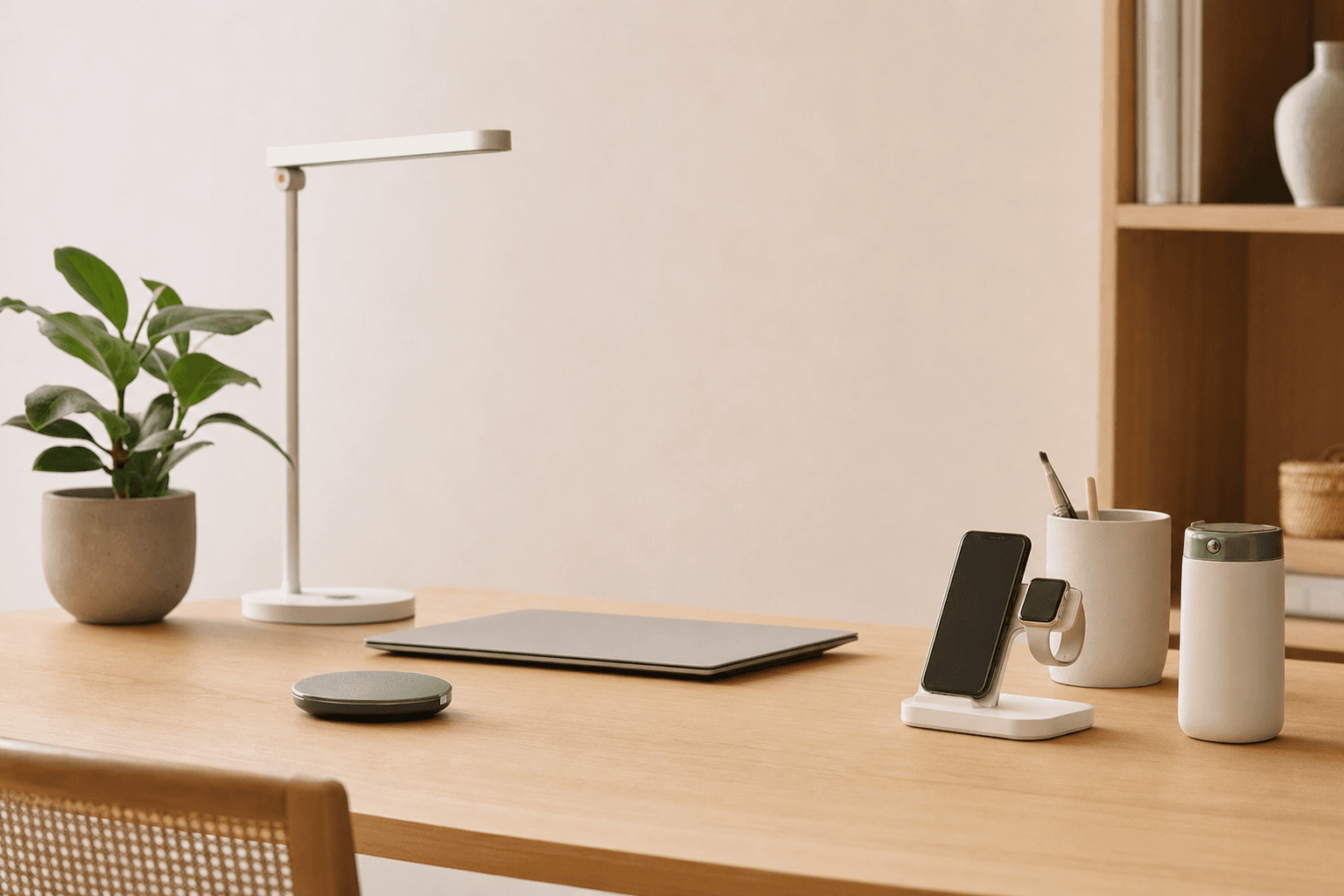
A minimalist desk does not need more gadgets. It needs the right ones: compact, useful, affordable tools that reduce friction, visual clutter, and daily decision fatigue.
Top Picks at a Glance
| Product | Our take | Rating | Where to buy |
|---|---|---|---|
Anker Nano Power Bank Anker | Editor's Pick | — | |
Anker 511 Charger Anker | — | — | |
Logitech Pebble Mouse 2 M350s Logitech | — | — | |
Amazon Basics Laptop Stand Amazon Basics | — | — | |
Kasa Smart Plug TP-Link | — | — |
This post contains affiliate links — we may earn a commission. See full details ↓
Minimalism is not about working at an empty desk with one pencil and a ceramic mug. It is about choosing tools that quietly support your day without demanding attention. The best affordable productivity gadgets earn their place by solving a real problem, taking up little space, and helping you do more with less.
Why Minimalist Productivity Gadgets Are Different
A lot of tech promises productivity, but much of it creates the opposite: more cables, more apps, more charging, and more decisions. A minimalist gadget should simplify your setup, not turn your desk into a showroom.
The most useful items tend to share a few traits:
- Small footprint that keeps your workspace open
- Single-purpose value that solves one clear problem well
- Low visual noise with clean shapes and neutral designs
- Cable reduction or better cable management
- Daily usefulness rather than novelty appeal
A good minimalist gadget should disappear into your routine. If you notice it constantly, it may be adding friction instead of removing it.
This guide focuses on affordable tools that make workdays smoother without encouraging overconsumption. Think of these as practical upgrades for your desk, commute, or hybrid work bag.
How to Choose Before You Buy
Before adding anything to your setup, pause for a quick audit. The goal is not to buy every clever accessory. The goal is to remove repeated annoyances.
Ask yourself:
- What slows me down every day?
- What clutter do I keep moving around?
- Which device is always low on battery?
- Do I work mostly at a desk, on the go, or both?
- Will this replace something bulkier or less useful?
If a gadget does not solve a recurring problem, skip it. Minimalist buying is less about finding the cheapest product and more about choosing the item you will use often enough to justify its space.
Our Top Affordable Productivity Gadgets
Anker Nano Power Bank by Anker
The Anker Nano Power Bank is one of those small tools that feels unnecessary until the day your phone hits 8 percent before an important call. It is compact, easy to carry, and especially useful for commuters, students, freelancers, and anyone who works between locations.
Its minimalist appeal is simple: it prevents battery anxiety without requiring a bulky charging kit. Many versions are designed with built-in USB-C convenience, which means fewer extra cables in your bag.
- Best for: Commutes, travel, long workdays, mobile productivity
- Minimalist benefit: Replaces larger power banks and emergency cable clutter
- Setup style: Bag-friendly, compact, low-maintenance
Pros:
- Small enough for a pocket or slim pouch
- Useful for topping up a phone during the day
- Helps avoid carrying a full charging brick everywhere
- Clean, simple design that fits a minimalist tech kit
Cons:
- Not ideal for charging larger laptops
- Limited capacity compared with bigger power banks
- Another battery to remember to recharge
This is a smart buy if you regularly leave home for more than a few hours and rely on your phone for maps, messages, calls, payments, or two-factor authentication. It is less necessary if you work from home and always sit near an outlet.
Practical tip:
- Keep it in the same pocket of your work bag every day, and recharge it every Friday so it is ready for the next week.
If your phone battery often dictates your mood, a tiny power bank can be a surprisingly calming minimalist upgrade.
Anker 511 Charger by Anker
The Anker 511 Charger is a small GaN wall charger that can replace larger, uglier charging bricks. For minimalists, this matters because chargers are one of the easiest categories to over-accumulate.
Instead of keeping a drawer full of random adapters, a compact charger like this can become your everyday plug for phones, earbuds, e-readers, and smaller tablets. It is especially good for a travel pouch or a desk where you want charging available without visual bulk.
- Best for: Phones, earbuds, compact tablets, travel kits
- Minimalist benefit: Replaces oversized charging bricks
- Setup style: Tiny, efficient, easy to store
Pros:
- Very compact for everyday carry
- Cleaner than older bulky wall adapters
- Useful at home, in a work bag, or while traveling
- Pairs well with a single high-quality USB-C cable
Cons:
- Not powerful enough for every laptop
- Only useful if it matches your device charging needs
- You may still need multiple ports for multi-device charging
This charger is best for someone who wants a reliable, tidy charging solution rather than a full charging station. If you regularly charge several devices at once, consider whether a multi-port charger might reduce clutter more effectively.
Practical tip:
- Pair it with one durable USB-C cable in a neutral color. Avoid keeping five backup cables on your desk unless you truly use them.
Logitech Pebble Mouse 2 M350s by Logitech
The Logitech Pebble Mouse 2 M350s is a slim wireless mouse designed for quiet, portable work. It has the kind of low-profile shape that blends into a clean desk rather than dominating it.
For laptop users, a dedicated mouse can be a meaningful comfort upgrade. Trackpads are convenient, but long sessions of editing, spreadsheet work, design tasks, or browser-based admin can feel smoother with a mouse.
- Best for: Laptop users, shared workspaces, quiet offices, portable setups
- Minimalist benefit: Slim design with quiet clicks and no cable mess
- Setup style: Lightweight, unobtrusive, desk-friendly
Pros:
- Slim and easy to carry
- Quiet clicking helps maintain a calm workspace
- Wireless design reduces desk clutter
- Pairs nicely with compact keyboards and laptop stands
Cons:
- Flat shape may not suit everyone ergonomically
- Requires battery awareness
- Not designed for heavy gaming or specialized creative workflows
The biggest strength here is subtlety. A mouse like this does not transform your workspace in a dramatic way, but it can make everyday navigation feel easier and quieter.
If you have larger hands or wrist discomfort, test the shape if possible. Minimalist design should not come at the expense of comfort.
Practical tip:
- Store it in a small tech pouch with your charger and cable if you move between home, office, and coffee shops.
Amazon Basics Laptop Stand by Amazon Basics
The Amazon Basics Laptop Stand is one of the most straightforward productivity upgrades for a minimalist desk. It raises your laptop to a more comfortable viewing height, which can improve posture and free up space underneath or around your computer.
This is not a flashy gadget, and that is the point. A simple stand can make a small desk feel more intentional by giving your laptop a defined place.
- Best for: Home offices, small desks, hybrid workers, students
- Minimalist benefit: Creates structure and improves ergonomics without complexity
- Setup style: Simple, practical, low visual distraction
Pros:
- Helps lift the screen closer to eye level
- Can make a laptop setup feel more like a proper workstation
- Encourages a cleaner desk layout
- Often more affordable than premium metal stands
Cons:
- You may need an external keyboard and mouse for best ergonomics
- Less portable than foldable travel stands
- Basic design may not appeal to everyone
A laptop stand is most useful if your laptop is your main computer. It creates a more comfortable line of sight and helps reduce the hunched posture that comes from staring down at a screen all day.
However, be honest about the total setup. If you raise your laptop, typing on its built-in keyboard may become awkward. Pairing the stand with a slim mouse and keyboard can create a much more comfortable workstation.
Practical tip:
- Use the space under the stand intentionally. Keep only one item there, such as a notebook, keyboard, or charging cable. Do not let it become a clutter shelf.
Ergonomics can be minimalist. The goal is not more equipment; it is fewer physical distractions while you work.
Kasa Smart Plug by TP-Link
The Kasa Smart Plug by TP-Link is a small, low-cost way to automate your workspace. It can control a lamp, charger, fan, or other small device from a schedule or app.
At first, a smart plug may sound like extra tech. But used thoughtfully, it can reduce small repeated tasks and help create start-and-stop rhythms for your workday.
- Best for: Desk lamps, charging routines, workday automation, home offices
- Minimalist benefit: Adds function without adding visible clutter
- Setup style: Hidden, practical, routine-based
Pros:
- Affordable entry into simple automation
- Can reduce energy waste from always-on accessories
- Useful for scheduled lighting or charging windows
- Small enough to stay visually out of the way
Cons:
- Requires app setup
- Not necessary for every workspace
- Can become clutter if you automate things that do not need automation
The smartest use is not controlling everything. It is choosing one repetitive action and making it automatic. For example, schedule your desk lamp to turn on at 8:30 a.m. and off at 6 p.m., or power a charging station only during certain hours.
This can create helpful boundaries, especially if you work from home. When the lamp turns off, it becomes a gentle cue that the workday is ending.
Practical tip:
- Use one smart plug first. If it improves your routine for two weeks, then consider adding another. Do not automate clutter.
Other Minimalist-Friendly Gadgets Worth Considering
If you already have the basics covered, there are a few other affordable productivity tools that fit a minimalist lifestyle.
Quntis Monitor Light Bar
A monitor light bar clips to the top of your screen and lights your desk without taking up surface space. It is a strong choice if your desk feels crowded with lamps or if you work in dim rooms.
- Frees up desk space
- Reduces the need for a traditional lamp
- Creates focused task lighting
Rocketbook Core
The Rocketbook Core is a reusable notebook that blends analog writing with digital storage. It is useful if you like handwriting but dislike accumulating stacks of paper.
- Reduces paper clutter
- Keeps notes compact
- Works well for recurring planning and brainstorming
Pomodoro Timer Cube
A physical Pomodoro timer is a small, single-purpose focus tool. It helps you avoid picking up your phone just to set a timer, which often leads to checking messages or apps.
- Encourages focused work blocks
- Keeps timing separate from your phone
- Works well for deep work, chores, or study sessions
Minimalist Buying Tips for Productivity Tech
The easiest mistake is buying gadgets to fix habits. A new tool can support better routines, but it cannot create them for you.
Before you buy, try this simple framework:
- Replace before you add: Choose gadgets that replace bulkier or messier items.
- Buy for your real day: Do not buy for an imaginary ideal routine.
- Choose compact over clever: A simple tool you use daily beats a feature-packed device you ignore.
- Limit charging needs: Too many rechargeable items can create a new kind of clutter.
- Match your environment: Earbuds, timers, lights, and stands are only useful if they fit how and where you work.
It also helps to keep a small waiting list. When you want a gadget, write it down and wait one week. If the same problem keeps bothering you, the purchase may be worthwhile.
Minimalism is not anti-technology. It is pro-intention.
A Simple Starter Setup
If you are building a minimalist productivity kit from scratch, start with the tools that solve the most common workday friction.
A practical starter setup might include:
- Amazon Basics Laptop Stand for better posture
- Logitech Pebble Mouse 2 M350s for easier navigation
- Anker 511 Charger for clean everyday charging
- Anker Nano Power Bank for mobile backup power
- Kasa Smart Plug for one helpful automation
You do not need to buy all five at once. Start with the item that removes the biggest annoyance from your current routine.
For many people, that will be the laptop stand if they work at a desk all day. For commuters, it may be the power bank. For anyone tired of messy charging bricks, the small charger is the most satisfying first step.
Final Thoughts
The best affordable productivity gadgets are not the ones with the longest feature lists. They are the ones that make your day feel lighter, your desk feel calmer, and your routines feel easier to repeat.
For a minimalist lifestyle, every object should earn its place. The Anker Nano Power Bank, Anker 511 Charger, Logitech Pebble Mouse 2 M350s, Amazon Basics Laptop Stand, and Kasa Smart Plug all do that in different ways: less clutter, fewer interruptions, better comfort, and smoother workdays.
Choose slowly. Buy only what solves a real problem. And remember that a productive workspace is not built by adding more things, but by keeping only the things that genuinely help.
Featured Products
Anker Nano Power Bank
A compact USB-C power bank that is easy to carry and useful for keeping a phone charged during workdays, commutes, or travel. Its small size fits a minimalist setup and avoids desk clutter.
Anker 511 Charger
A small GaN wall charger that can replace larger bricks and keep a desk or travel bag tidy. It is practical for charging phones, earbuds, and smaller tablets with minimal visual bulk.
Logitech Pebble Mouse 2 M350s
A slim wireless mouse with a quiet click feel that suits focused work and clean desk setups. It is lightweight, portable, and designed to stay unobtrusive in a minimalist workspace.
Amazon Basics Laptop Stand
A simple stand that raises a laptop to a more comfortable viewing height and helps reduce desk clutter. It is a straightforward productivity upgrade for home offices and shared workspaces.
Kasa Smart Plug
A low-cost smart plug that can automate lamps, chargers, or other desk accessories on a schedule. It is a practical way to add convenience without adding visible clutter.
Related Articles
September 18, 2026
Wireless Charging Solutions for a Calmer, More Minimal Tech Setup
A practical minimalist guide to wireless charging solutions, from simple Qi pads to tidy 3-in-1 docks. Learn which chargers reduce clutter, which are worth the spend, and how to choose the right setup for your home, desk, or travel bag.

September 9, 2026
Clean Desk Setup Essentials for a Calm, Minimalist Workspace
A clean desk setup is not about owning less for the sake of it. It is about choosing smart essentials that hide clutter, create breathing room, and make your workspace easier to use every day.
July 31, 2026
Quality USB-C Accessories for a Simpler, Smarter Tech Setup
A minimalist guide to choosing quality USB-C accessories that reduce clutter, improve daily workflow, and help you buy only what you truly need.
Enjoyed this article? Explore more minimalist recommendations.